Gemini Viral Prompts 1
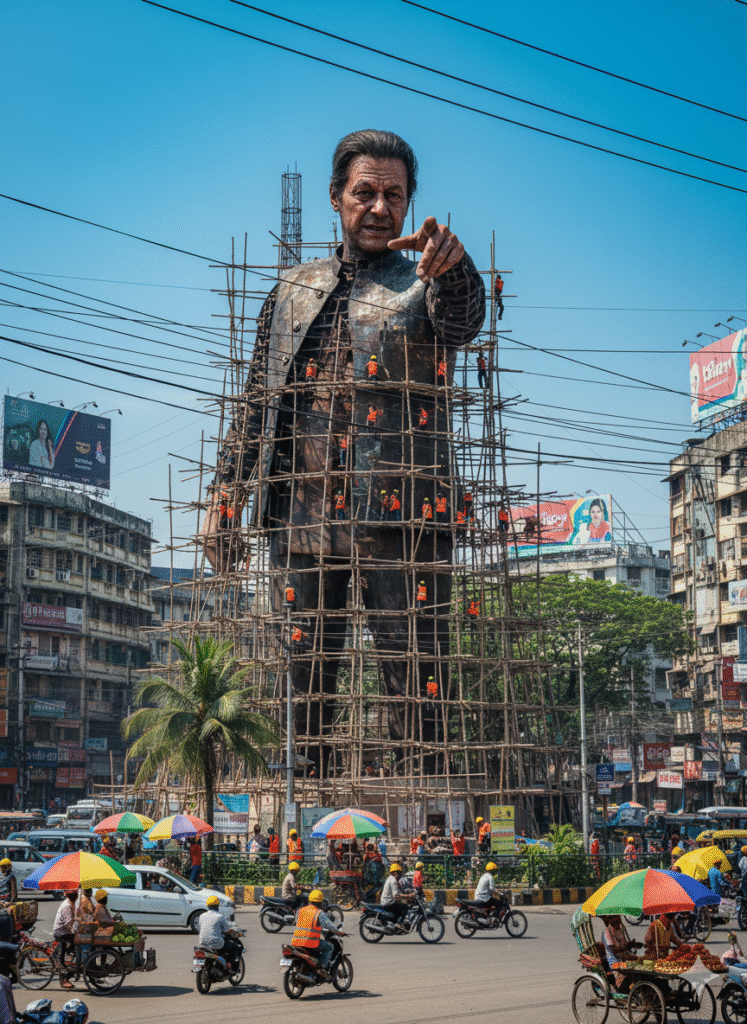
AI Photo Editing Prompt
Create a giant hyper-realistic statue based on the provided photo, preserving the face exactly as it is with no alterations. The statue should appear under construction, towering in the middle of a busy roundabout in Dhaka, near a famous historical landmark. Surround the structure with scaffolding, where numerous construction workers in yellow helmets and orange vests are climbing, welding, and actively working. Some sections of the statue remain as exposed metal framework, while other parts are fully detailed and completed.

In the background, depict the lively atmosphere of Varanasi city: crowded streets with colorful rickshaws, packed buses, and small cars circling the roundabout. Add street vendors with tea stalls, fruit carts, and bright umbrellas along the roadside. Include shop signs, oversized billboards, and messy hanging electric wires overhead to capture the authentic Dhaka city vibe. The sky is bright daytime blue, with tropical trees scattered around, emphasizing the bustling and vibrant urban scene.

Style: Ultra-realistic, photorealistic, vibrant, cinematic, and full of life.
Gemini Viral Prompts 2
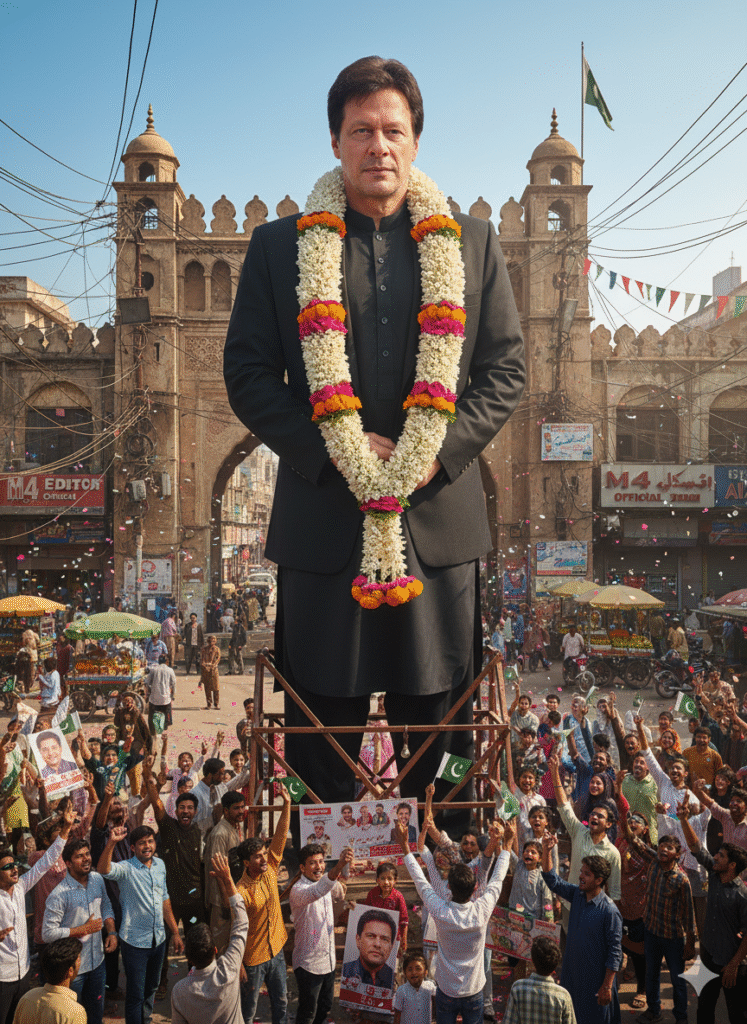
AI Photo Editing Prompt
Create a hyper-realistic outdoor movie-theatre scene centered on a massive 300-foot tall, full-body cutout of the provided person, showing the entire figure from head to toe with lifelike detail and facial fidelity preserved exactly as in the reference. The cutout is elegantly decorated with a vibrant flower garland draped around the neck and shoulders. Mount the cutout on a sturdy support frame in a busy public square filled with a diverse crowd of enthusiastic fans who are facing and admiring it. Fans cheer, wave flags, hold banners and placards bearing the person’s image, and some capture the moment on their phones; their expressions should convey awe and celebration. Scatter fresh flower petals on the ground and let colorful confetti float gently through the air. Warm daylight casts soft, realistic shadows across the scene. Include authentic urban elements — a cinema marquee reading “M4 Editor Official 35MM”, street lamps, signage, and surrounding buildings — to anchor the setting. Style the image as ultra-photorealistic, cinematic, vibrant, and full of depth, with natural motion in the crowd, crisp texture detail on the cutout and garland, and rich color grading suitable for large-format publicity imagery.
Are you looking to elevate your Instagram content creation with the latest trends in AI-generated photography? The use of AI editing tools has become increasingly popular, allowing users to create stunning and unique content that captures the attention of their audience.
One of the most exciting applications of AI in social media is the creation of viral statue edits. By leveraging Gemini Photo Prompts, you can transform your ordinary photos into extraordinary works of art that resonate with your followers and stand out on your Instagram feed.
Key Takeaways
- Discover how to use AI-generated photography to enhance your Instagram content.
- Learn the steps to create viral statue edits using Gemini Photo Prompts.
- Understand the benefits of incorporating AI editing tools into your content creation strategy.
- Get tips on how to make your AI-generated content stand out on Instagram.
- Explore the potential of AI in revolutionizing your social media presence.
The Rise of AI-Generated Photography on Instagram
With the help of AI technology, users are now able to create stunning statue edits that are taking over Instagram feeds. This surge in AI-generated photography is not just about aesthetics; it’s also about the technology that’s making it possible.
How AI is Transforming Social Media Content
AI is revolutionizing the way we create and interact with social media content. By leveraging AI algorithms, users can transform ordinary images into extraordinary works of art, such as statue edits that blend reality and fantasy.
- Enhancing creativity with AI-driven tools
- Automating editing processes for complex transformations
- Enabling users to experiment with new forms of artistic expression
The Statue Editing Trend Explained
The statue editing trend on Instagram is a prime example of AI-generated photography’s impact. Users are creating viral content by transforming statues into various scenarios, from historical reenactments to surreal landscapes.
This trend is not just about the technology; it’s also about the community that’s forming around it. Users are sharing their creations, providing feedback, and inspiring others to join in.
Gemini Photo Prompts: An Overview
With the advent of Gemini AI technology, photographers and content creators have a powerful new tool at their disposal. Gemini Photo Prompts is designed to streamline the content creation process, offering advanced features that simplify the production of high-quality, engaging visuals.
Google’s Gemini AI Technology Explained
Gemini AI technology is developed by Google, leveraging state-of-the-art algorithms to understand and generate human-like text and images. This technology enables users to create complex edits, such as statue transformations, with remarkable accuracy and detail.
Key Features for Photographers and Content Creators
Gemini Photo Prompts offers several key features that benefit photographers and content creators, including:
- Advanced Image Processing: Capable of handling complex image edits with precision.
- Customizable Prompts: Allows users to tailor their edits according to specific needs.
- User-Friendly Interface: Designed to be intuitive, making it accessible to creators of all skill levels.
By utilizing these features, creators can produce a wide range of content, from simple edits to complex, surreal transformations, enhancing their overall content creation capabilities.
Getting Started with Gemini for Statue Editing
Unlocking the full potential of Gemini for statue editing requires understanding its account setup process and user interface. To begin, you’ll need to create a Gemini account, which will give you access to the platform’s powerful AI-driven editing tools.
Setting Up Your Gemini Account
Setting up your Gemini account is a straightforward process. Simply navigate to the Gemini website, click on “Sign Up,” and follow the prompts to enter your information. You’ll need to provide a valid email address and create a password. Once you’ve completed the registration process, you’ll receive a confirmation email to activate your account.
Navigating the User Interface
After activating your account, you’ll be taken to the Gemini dashboard. The user interface is designed to be intuitive, with clear navigation menus and tooltips to guide you through the various features.
Familiarize yourself with the layout, including the prompt input field, editing options, and output gallery.
Mobile vs. Desktop Experience
Gemini is accessible on both mobile and desktop devices, offering a flexible editing experience. While the core features remain the same across platforms, the desktop version provides a more comprehensive editing environment, with larger screens and more complex toolsets. The mobile app, on the other hand, is optimized for on-the-go editing, with a streamlined interface and touch-friendly controls.
| Feature | Desktop | Mobile |
|---|---|---|
| Prompt Input | Full keyboard support | Touch-friendly interface |
| Editing Options | Advanced toolsets | Streamlined controls |
| Output Gallery | Detailed preview | Quick view |
Understanding Prompt Engineering for Statue Transformations
To unlock the full potential of Gemini for statue editing, understanding prompt engineering is essential. Prompt engineering refers to the process of crafting inputs that guide AI models to produce desired outputs. In the context of statue transformations, it involves creating precise prompts that help Gemini understand and execute the edits you have in mind.
Basic Prompt Structure for Best Results
A well-structured prompt is crucial for achieving high-quality statue transformations. Start by being specific about the changes you want. For instance, instead of saying “change the statue,” say “change the statue to look like it’s made of bronze.” Include details about the desired style, material, or context to enhance the output. Using clear and concise language in your prompts can significantly improve the results.
Advanced Techniques for Detailed Statue Edits
Once you’re comfortable with basic prompts, you can explore advanced techniques to refine your statue edits further.
Style-Specific Prompting
To achieve a specific artistic style, incorporate relevant descriptors into your prompts. For example, you could ask Gemini to transform a statue into a surrealist masterpiece or a classical Greek sculpture. This technique allows you to guide the AI in applying particular artistic elements to your statue edits.
Contextual Enhancement Commands
Contextual enhancement involves adding environmental or narrative context to your statue transformations. By including commands that describe the surroundings or scenario, you can create more engaging and story-driven edits. For instance, you might prompt Gemini to place the statue in a futuristic cityscape or surrounded by vibrant flora. This adds depth and complexity to your AI-generated content.
Step-by-Step Guide to Creating Viral-Worthy Statue Edits
To make your statue edits stand out on Instagram, follow these step-by-step guidelines. Creating viral content requires a combination of the right image selection, effective prompts, and refinement techniques.
Selecting the Right Statue Images
The first step in creating a viral statue edit is choosing the right image. Look for statues with clear, high-contrast features that will stand out after editing. Consider the statue’s background and surroundings, as they can significantly impact the final result.
- Opt for statues with distinct facial expressions or intricate details.
- Choose images with good lighting to enhance the statue’s features.
- Avoid cluttered backgrounds that might distract from the statue.
Crafting Effective Transformation Prompts
Crafting the right prompt is crucial for achieving the desired transformation. Be specific about the changes you want to make, such as altering the statue’s clothing, adding accessories, or changing its environment.
- Start with a clear description of the statue and its current state.
- Specify the transformation you want, including any specific elements to add or change.
- Use descriptive adjectives to guide the AI in creating the desired effect.
Refining and Iterating Your Results
After generating the initial edit, refine it by adjusting the prompt or using additional editing tools. Iteration is key to achieving a high-quality, viral-worthy edit.
| Refinement Technique | Description | Effectiveness |
|---|---|---|
| Adjusting Prompts | Modify the prompt to better match your vision. | High |
| Using Additional Editing Tools | Enhance the edit with tools like Adobe Photoshop. | Medium |
| Iterating Edits | Repeat the editing process to refine the result. | High |
By following these steps and refining your technique, you can create statue edits that have the potential to go viral on Instagram. Remember to stay creative and keep experimenting with different prompts and editing techniques.
Popular Statue Transformation Styles on Instagram
Statue transformation styles have become a sensation on Instagram, captivating audiences with their unique blend of art and technology. The platform is flooded with creative edits that showcase the versatility of AI-powered editing tools like Gemini.
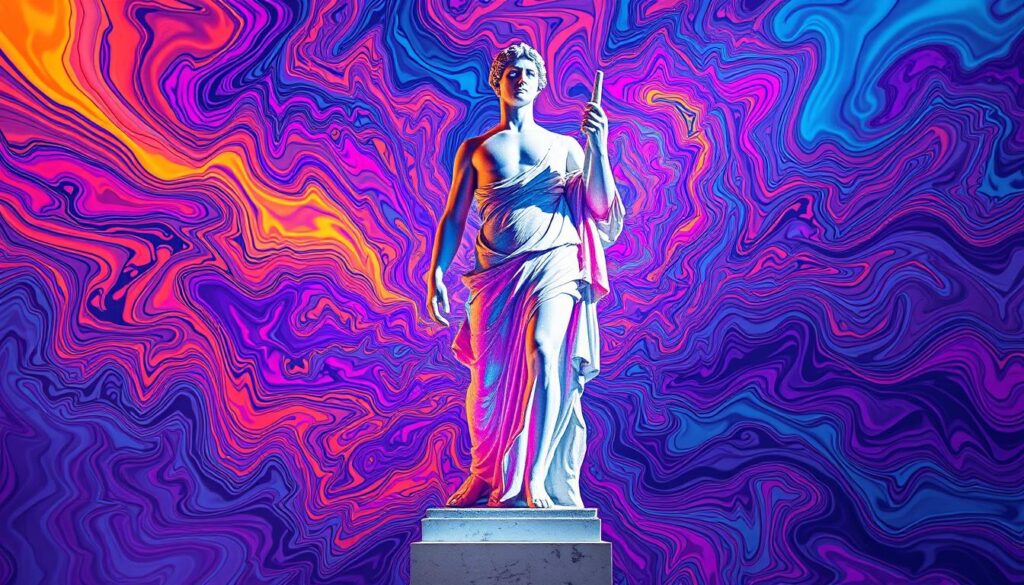
Classical to Modern Art Conversions
One of the most popular statue transformation styles involves converting classical art to modern styles. This technique allows creators to reimagine ancient statues in contemporary settings, giving them a fresh and modern twist. By applying modern textures, colors, and backgrounds, artists can breathe new life into timeless pieces of art.
Adding Surreal and Fantasy Elements
Another captivating approach is adding surreal and fantasy elements to statue edits. This style involves incorporating dreamlike scenarios, vibrant colors, and imaginative details to create visually stunning content. By merging reality with fantasy, creators can produce truly eye-catching and engaging posts.
Creating Narrative-Driven Statue Scenes
Narrative-driven statue scenes are also gaining popularity on Instagram. This style involves crafting a story around the statue, often by placing it in a specific context or environment that adds depth and meaning. By doing so, creators can evoke emotions and spark the imagination of their audience, making their content more relatable and shareable.
Optimizing Your AI-Generated Content for Instagram Success
To maximize your Instagram success with AI-generated statue edits, it’s crucial to optimize your content effectively. This involves crafting compelling captions, using relevant hashtags, and posting at strategic times.
Caption Strategies for AI-Edited Photos
Captions play a vital role in enhancing the impact of your AI-generated statue edits. Use descriptive language to bring your edits to life, and include relevant keywords to improve discoverability. Consider adding a call-to-action to encourage engagement.
For example, you could say, “Explore the fusion of art and technology in this AI-generated statue edit. Share your thoughts on the intersection of creativity and AI in the comments below!”
Hashtag Recommendations for Maximum Reach
Hashtags are essential for increasing the visibility of your AI-generated statue edits on Instagram. Use a mix of popular and niche hashtags to attract both broad and targeted audiences. Some relevant hashtags include #AIArt, #StatueEdit, #DigitalArt, and #InstagramAI.
- Research popular hashtags in your niche
- Use a mix of broad and specific hashtags
- Create a unique hashtag for your AI-generated content
Best Posting Times for AI Art Content
Timing is everything when it comes to posting AI-generated statue edits on Instagram. Experiment with posting at different times to find when your audience is most engaged. Generally, peak hours include lunchtime (12 pm – 1 pm) and early evening (5 pm – 6 pm) when users are on their breaks.
Ethical Considerations in AI Statue Editing
With the growing trend of using AI for statue editing, content creators must navigate the complex landscape of ethical responsibilities. As AI-generated content becomes more prevalent on Instagram, it’s crucial to address the ethical implications involved.
Respecting Original Artwork and Monuments
When editing statues using AI, it’s essential to respect the original artwork and monuments. This involves being mindful of cultural sensitivities and historical significance. Creators should avoid manipulating statues in ways that could be considered disrespectful or misrepresentative.
Disclosure and Transparency Best Practices
Transparency is key when sharing AI-generated statue edits. Creators should clearly disclose when an image has been edited using AI. This can be done through captions or hashtags, such as #AIgenerated or #EditedWithAI.
Copyright and Attribution Guidelines
Understanding copyright laws is vital when using AI for statue editing. Creators must ensure they have the necessary permissions or rights to edit and share the images. Proper attribution should be given to the original creators or sources of the images.
| Ethical Consideration | Best Practice |
|---|---|
| Respecting Original Artwork | Be mindful of cultural sensitivities and historical significance |
| Disclosure and Transparency | Use clear captions or hashtags like #AIgenerated |
| Copyright and Attribution | Ensure necessary permissions and give proper attribution |
Case Studies: Viral Statue Edits That Dominated Instagram
The rise of AI-generated content has led to a proliferation of viral statue edits on Instagram, fascinating users with their realism and artistry. These edits have not only garnered thousands of likes and comments but have also inspired a new wave of creativity among content creators.
Analysis of Successful Statue Transformations
Successful statue transformations often involve a combination of technical skill and creative vision. By examining these case studies, we can identify key factors that contribute to their viral success.
- High-quality input images: The original image quality plays a crucial role in the final output.
- Effective prompt engineering: Crafting the right prompts is essential for achieving desired results.
- Attention to detail: Refining the edits to ensure they are seamless and realistic.
Common Elements in Viral AI Statue Content
Viral AI statue content often shares certain characteristics that make them stand out. Understanding these elements can help creators produce more engaging content.
Engagement Metrics and Audience Response
Analyzing engagement metrics such as likes, comments, and shares provides valuable insights into audience response. For instance, a recent viral statue edit garnered over 10,000 likes and hundreds of comments, indicating a strong audience engagement.
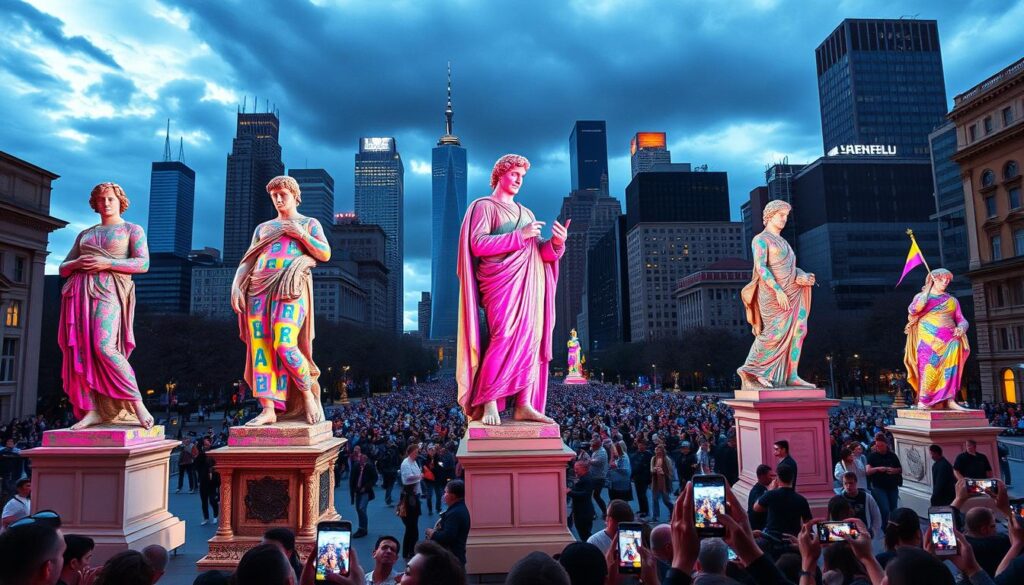
By studying these case studies and understanding the factors that contribute to their success, content creators can develop more effective strategies for producing viral statue edits on Instagram.
Troubleshooting Common Issues with Gemini Photo Prompts
Troubleshooting is an essential part of mastering Gemini Photo Prompts for statue editing. While the technology is advanced, users may encounter issues that affect the quality of their edits.
Fixing Distorted Statue Features
Distorted statue features can occur due to incorrect prompt engineering or low-quality input images. To fix this, ensure that your prompts are clear and specific, and use high-resolution images.
Improving Low-Quality Transformations
Low-quality transformations can be improved by adjusting the prompt parameters or using more detailed input images. Experimenting with different settings can help achieve better results.
Working Around Technical Limitations
Understanding the technical limitations of Gemini Photo Prompts is crucial. Familiarize yourself with the tool’s capabilities and limitations to optimize your editing process.
| Issue | Solution |
|---|---|
| Distorted Statue Features | Use clear prompts and high-resolution images |
| Low-Quality Transformations | Adjust prompt parameters or use detailed input images |
| Technical Limitations | Familiarize yourself with the tool’s capabilities |
By addressing these common issues, users can enhance their experience with Gemini Photo Prompts and achieve more satisfying results in their statue editing projects.
Combining Gemini with Other Editing Tools
To take your statue edits to the next level, consider combining Gemini Photo Prompts with other editing tools. While Gemini provides a powerful foundation for statue transformations, integrating it with other editing software can significantly enhance the quality and versatility of your edits.
Enhancing Gemini Outputs with Adobe Photoshop
Adobe Photoshop is a industry-standard editing tool that can be used to refine and enhance Gemini’s outputs. By combining Gemini with Photoshop, you can:
- Adjust colors and contrast to create a more cohesive look
- Add textures or patterns to enhance the statue’s details
- Make precise edits to specific areas of the image
Mobile Apps that Complement Gemini’s Capabilities
Several mobile apps can complement Gemini’s capabilities, offering additional features and flexibility. Some popular options include:
- TouchRetouch for removing unwanted elements
- Facetune for advanced facial editing
- Snapseed for detailed adjustments
Creating a Seamless Editing Workflow
To create a seamless editing workflow, start by using Gemini to generate your initial statue edit. Then, transfer the image to Adobe Photoshop or a mobile app for further refinement. By combining these tools, you can achieve professional-grade results that stand out on Instagram.
Conclusion: The Future of AI-Enhanced Photography
As AI technology continues to evolve, the future of AI-enhanced photography looks promising. The rise of AI-generated content on platforms like Instagram has transformed the way we create and interact with visual media. With tools like Gemini Photo Prompts, creators can now produce stunning statue edits that captivate audiences worldwide.
The integration of AI in photography is not just a trend; it’s a revolution that is reshaping the creative landscape. Emerging AI trends will continue to enhance the capabilities of photographers and content creators, enabling them to produce complex, high-quality content with ease. As we look to the future, it’s clear that AI-enhanced photography will play a significant role in shaping the visual identity of social media platforms.
By understanding the potential of AI-enhanced photography and staying ahead of the curve, creators can unlock new opportunities for engagement and artistic expression. As the field continues to evolve, we can expect to see new and innovative applications of AI technology in photography.
Leave a Reply